For owner-operators
Know what a load pays before you call back.
Enter pickup, drop, the broker's offer and miles. Get a Take it, Borderline or Pass estimate after fuel and typical truck costs.
Coming soon to iPhone and Android
Estimates only • Bring an offer from any board or phone call • Not a load board
The product
What the app does
A load-profit calculator. You type the lane and the offer, and it shows an estimate. The screens below use sample lanes.
Score a load
Lane and offer in. An estimate of what's left, out.
Keep the history
In the private beta, scored loads stay in a list you can search.
Roll up the booked loads
In the private beta, booked loads add up into a profit and loss estimate.
Use your own numbers
In the private beta, set your truck costs once and score against your own floor.
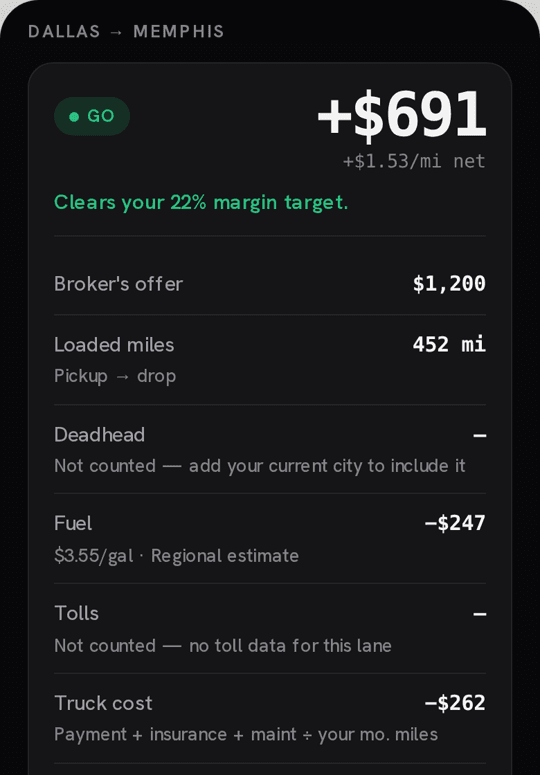
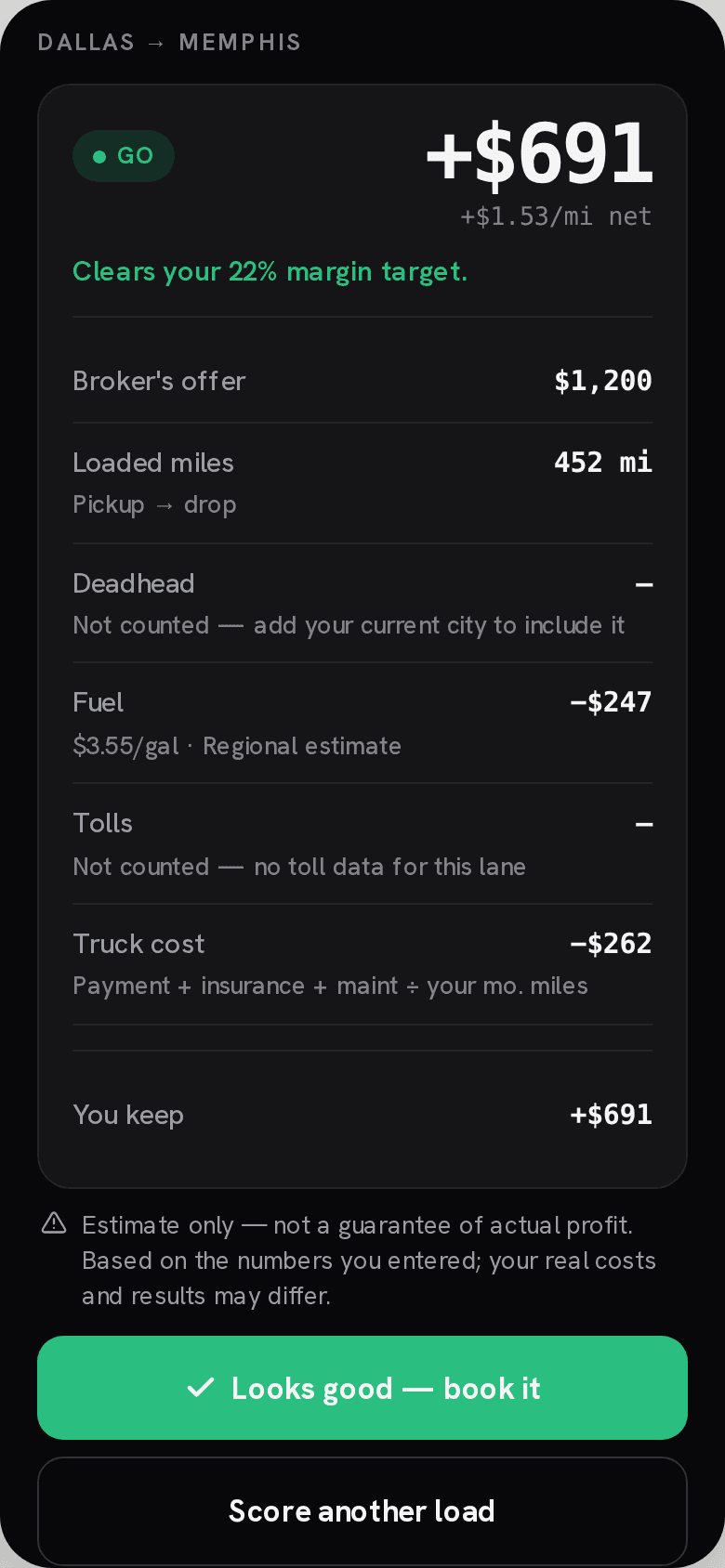
Score a load
Pickup, drop, and the offered rate
You get an estimate of what's left after fuel and typical truck costs, before you call the broker back. The demo doesn't count deadhead, tolls, factoring or a broker's cut. Add those yourself.
Load history
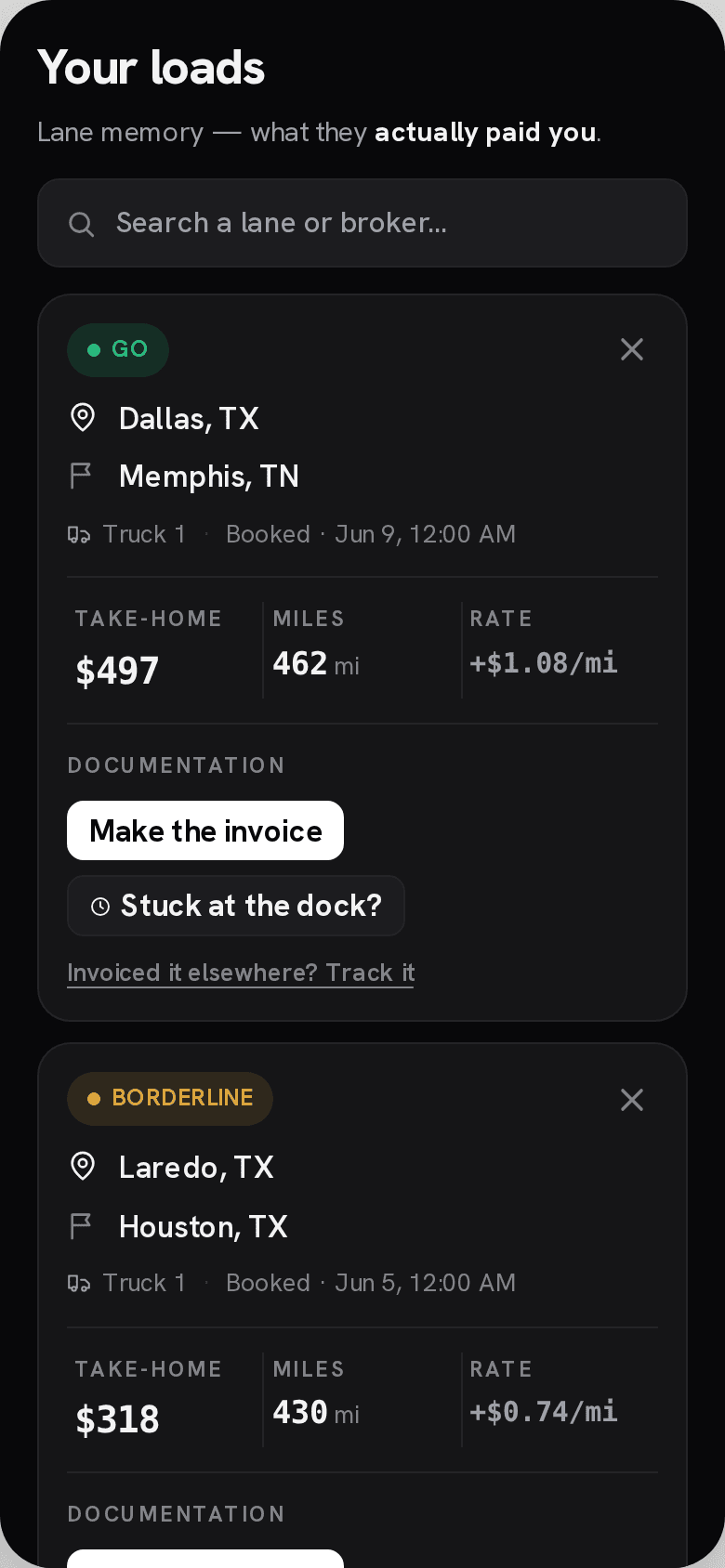
The loads you've already scored
In the private beta, each scored load stays in a list you can search. Booked loads show the estimate.
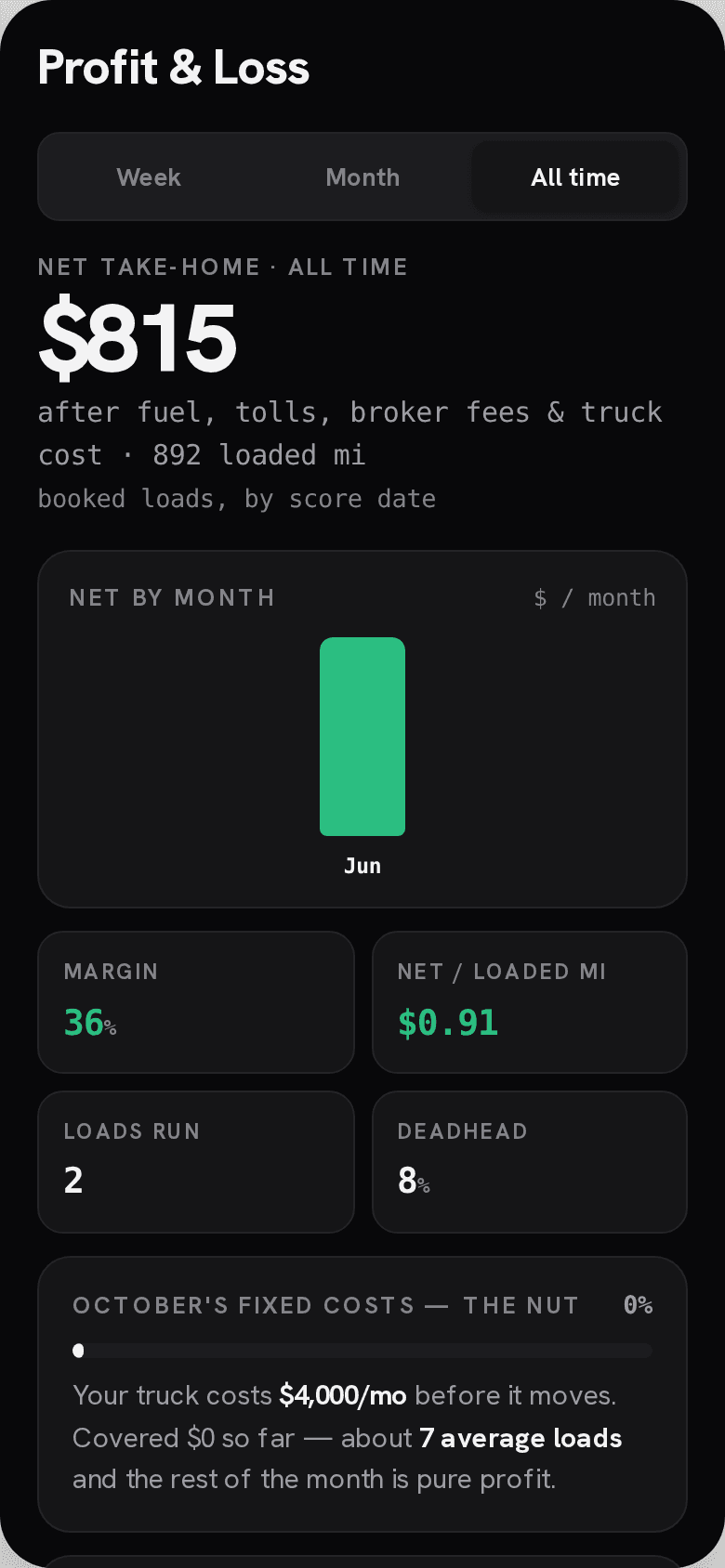
Profit and loss
Booked loads, rolled up
In the private beta, booked loads add up into a profit and loss view for the period you pick. Every figure is an estimate.
Your own numbers
Your truck, your floor
In the private beta, enter your own costs and MPG once and every score uses them. You can type your diesel price and empty miles and see $/mi on loaded miles and on all miles. Example numbers in every screen.
For fleet owners
Fleet dashboard
A web view of the trucks and the booked loads already scored in the app. The picture is a sample profit and loss from those loads.
The period you pick
Fleet net, gross, loads booked, average dollars per mile, and average margin. This week, last week, the last 30 days, month to date, or a custom range.
Every truck on one list
Loads, miles, gross, net, dollars per mile, and margin for each truck. A losing streak or a money pit is marked when that alert is on for the fleet.
The loads behind the totals
Open a truck, review the booked loads, and export them as a CSV.
Profit and loss
Gross, fuel, fixed truck cost, detention, and net, for the fleet and for each truck.
Three steps
How it works
- 1
Enter the lane
Pickup, drop, the offered rate and miles. The demo runs a typical truck.
- 2
Read the estimate
Fuel and typical truck costs come off the offer. It's an estimate, not a guarantee.
- 3
Make the call
Take it, Borderline or Pass, before you call the broker back.
No account
Try a lane
A typical truck, not yours. Estimates only. Deadhead, tolls and factoring aren't counted here, so add them yourself.
Questions
Before you score a load
Can I try it without an account?
Yes. Check a load free, no signup. The demo runs in your browser.
How should I read the result?
As an estimate. Every result is an estimate from the miles and offer you enter, plus fuel and typical truck costs.
Does the demo count deadhead, tolls or factoring?
No. Add them yourself for now.
Is this a load board?
No. We don't post loads. Bring an offer from any board or phone call.
Can I use my own truck costs?
That's part of the private beta. Join the beta list to hear when it opens.
What fuel price does the demo use?
A regional diesel estimate, not your pump price.
Who makes TruckerProfits?
WSG Global LLC.
Notes from us
News and roadmap updates
Leave an email and a mobile number. We will send product news and what is on the roadmap.
Start with one load
Create an account and score your own lane.
The demo on this page uses a typical truck. The beta is where your own numbers come in.
Create your account